By clicking “Accept”, you agree to the storing of cookies on your device to enhance site navigation, analyze site usage, and assist in our marketing efforts. View our Privacy Policy for more information.
Barrel's Director of Strategy and Design Director hosted a live optimization session deep diving a brand who submitted their site for review, including a roadmap of fixes to implement before BFCM.
What Is Shopify Canvas & What Does It Mean for CPG Brands?
Shopify Canvas is a new AI-first workspace in the Shopify admin where merchants design or redesign their online store by chatting with Sidekick, Shopify's AI assistant, or by editing elements directly. Shopify announced Canvas on October 1st, 2026, and it's rolling out gradually in early access.
Shopify's pitch is direct: anyone can now build a custom store, whatever their design experience, coding skills, or budget. For consumer packaged goods (CPG) brands, that raises a fair question. If AI can build a custom theme, do you still need a development partner?
Our short answer: Canvas is most useful for small and midsize business (SMB) brands that want to test and iterate on new ideas with fewer engineering hours. Enterprise CPG brands, with their backend integrations and unique business requirements, will still need an expert engineering partner. And brands of every size still need a clear point of view on what to build and why.
Today we are breaking down our analysis of Shopify's official documentation and launch materials as of October 6th, 2026. Canvas is changing quickly, and we'll update this article as it does.
What is Shopify Canvas?
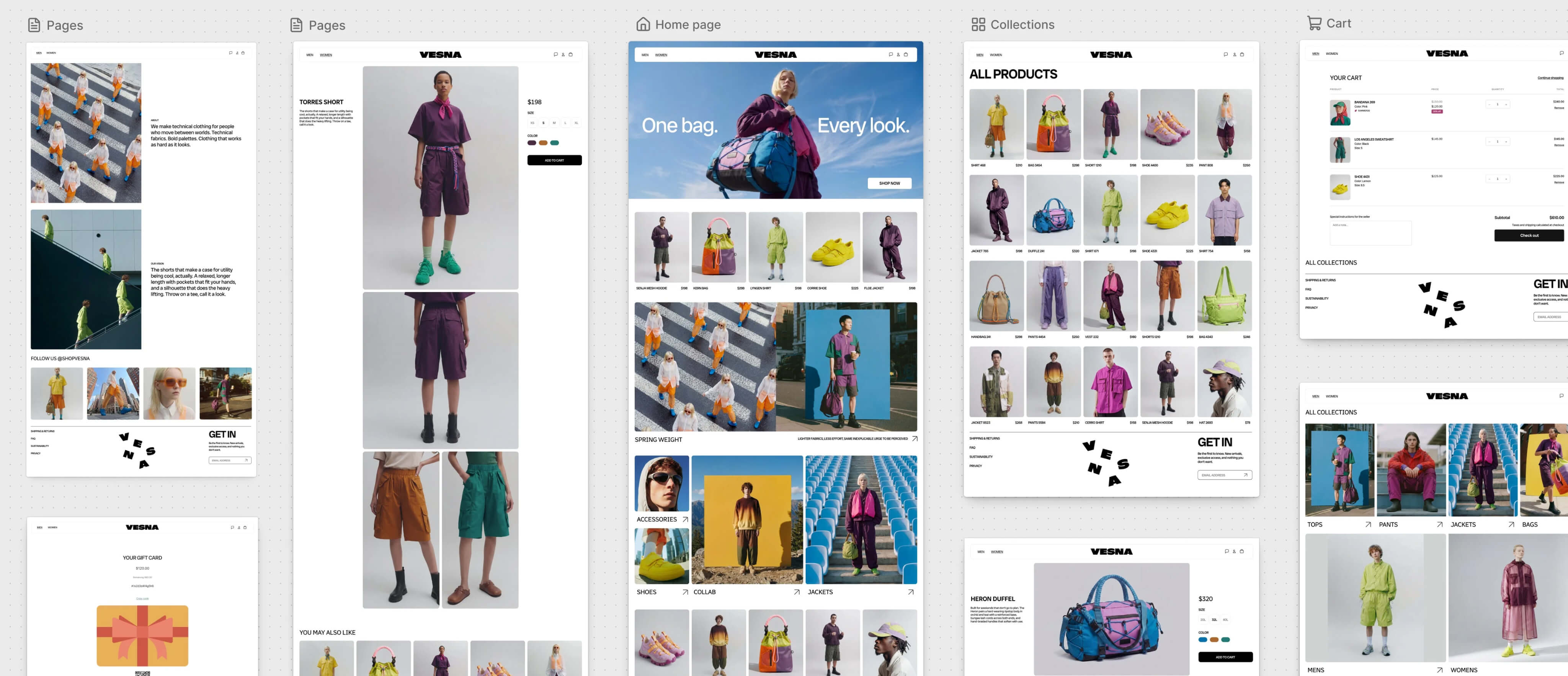

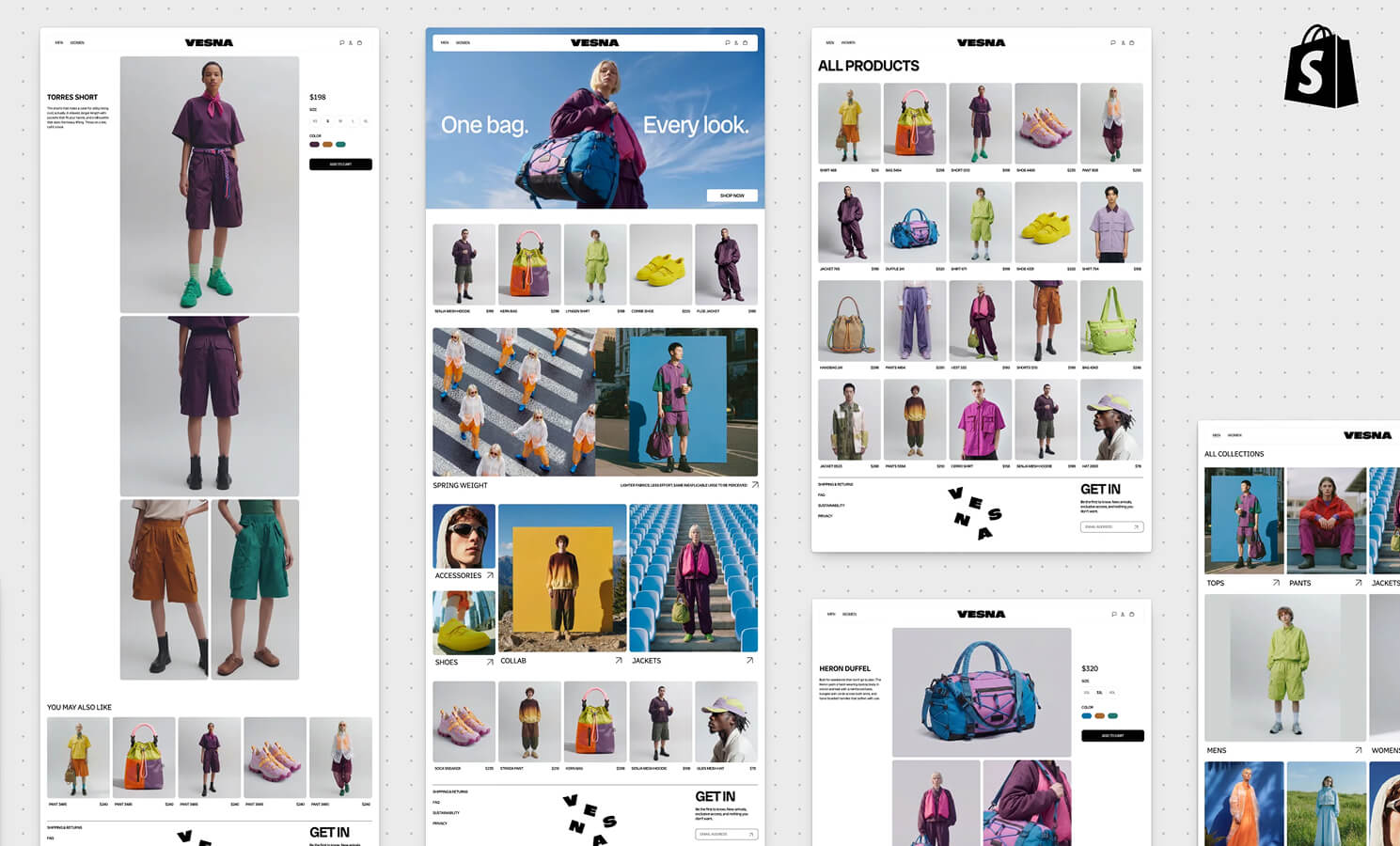
Canvas is a design surface that lays out every page of your store in one visual workspace. You can pan across all your pages to see how the store feels as a whole, then zoom in on a single section (source: Shopify Changelog).
Shopify Canvas
There are two ways to make changes:
Click any element to edit it directly, such as text, images, or a block's settings
Describe what you want to Sidekick in the chat, and it makes the change for you
What you see in Canvas is a render of your store's real code, instead of a static mockup. You can preview pages with full interactivity and animation, and check them with different products, collections, and screen sizes (source: Shopify Newsroom).
A few terms that come up throughout this article that are useful to define:
Theme: the code and templates that control how your Shopify storefront looks and behaves
Sidekick: Shopify's built-in AI assistant, which now works as a coding agent that writes and edits theme code
Sections & blocks: a modular piece of content inside a page section, such as an image, a heading, or a product card
How Sidekick works inside Canvas
The biggest change behind Canvas is that Sidekick now works directly on your theme's dev files. Earlier versions of Sidekick could only change theme settings and generate individual sections. Shopify has also simplified its theme architecture so Sidekick can understand and change a store's structure more easily (source: Shopify Newsroom).
According to Shopify, Sidekick in Canvas:
Asks questions, proposes approaches, and takes feedback as it works
Remembers your preferences and carries earlier design decisions forward
Checks its own code and reviews screenshots of its changes, then refines its work before handing it back
Handles anything from a single section change to a full store redesign
To keep its output well designed, Shopify gives each theme what Austin Knight, Design Director at Shopify, calls a design contract: a curated set of design patterns plus a large body of evaluation data that guides Sidekick's choices.
Sidekick isn't new to theme work. Shopify reports it made more than 25M edits to themes in the first half of 2026. Ben Sehl, Director of Product, Online Store at Shopify, says an entrepreneur can now build a fully custom store in about 20 minutes. That's Shopify's claim, and we haven't tested it. For most CPG brands, the more important consideration is what should go onto that store and what does it need to do once it's live.
How to get started with Canvas
Canvas lives on the Themes page of your Shopify admin and works only on desktop (source: Shopify Help Center). Before you open it, check that your store meets Shopify's requirements:
Your plan includes theme customization
Your theme was developed by Shopify or is a custom theme
Staff who use Canvas have the Online store > Themes > Edit code permission
Create a new theme: describe your brand and the store you want, and Sidekick builds an unpublished theme
Duplicate an existing theme: Canvas opens a copy, and your original stays in the standard theme editor
A few workflow details your team should know before starting:
Changes save automatically, and customers only see them after you publish
When Sidekick makes a change, your undo history clears. To reverse it, ask Sidekick to change it back or restore an earlier version from the theme's version history
If a theme can't publish, the publish dialog lists the errors and offers a Fix with Sidekick option
Themes edited in Canvas display a Canvas badge in your theme library
What Canvas can't do yet (as of October 2026)
Shopify is upfront that Canvas is early. Ben has said it isn't replacing the existing theme editor yet and that there are gaps still to close (source: Shopify Newsroom).
Two terms are helpful to define before diving into limitations: app blocks and app embeds are how third-party apps place features, like a subscription widget or review stars, on your storefront. Rollouts are Shopify's tool for scheduling and testing store changes.
No app blocks or app embeds: subscription, reviews, loyalty, and bundling apps usually appear on your storefront this way, and Canvas can't add or configure them yet
No third-party themes: brands running a theme bought from the Shopify Theme Store or an independent studio can't open it in Canvas
No manual block adding: new blocks get added by asking Sidekick
International Selling
No market-specific customization: brands selling in several countries can't tailor a theme by market in Canvas
No in-Canvas translation: translations run through the Translate & Adapt app instead
Code & Workflow
No theme updates: a Canvas-edited theme stops receiving the updates Shopify ships for its themes
No theme file downloads: you can't export the code of a Canvas-edited theme
Limited rollout support: a Canvas-edited theme can join a rollout only as a replacement for your main theme
Some of these gaps will close quickly. Shopify told app developers it plans to support theme app extensions, the technology behind app blocks and embeds, in Canvas within weeks, and before Canvas becomes the default editor (source: Shopify Developer Community). We read that as a clear signal that Canvas will eventually replace the current editor. So we'd advise against basing long-term decisions on today's limitations alone.
What Canvas means for CPG brands
From our vantage point, it’s true that Canvas changes how quickly a store can be built and changed. But, how much that matters depends on the size and complexity of your business.
Where Canvas helps SMB brands Most
For SMB CPG brands, Canvas makes iteration faster and cheaper. A lean team can turn an idea into a working draft, review it with actual products, and decide whether it's worth refining. The saved engineering hours can be spent on other work.
Where we expect the most value:
Testing landing page concepts for a product launch, a seasonal campaign, or a retail promotion
Exploring a visual refresh on a duplicate theme before committing budget to it
Turning a loose creative brief into something concrete the team can react to
Making layout and content changes without waiting in a development queue
This is a strong fit for emerging brands with small teams and fast decision-making. It also helps Amazon-led brands build out their direct-to-consumer (DTC) presence quickly beyond the marketplace.
Why large & enterprise CPG brands still need an engineering partner
Larger CPG brands run on much more than a storefront theme. Their sites connect to enterprise resource planning (ERP) systems, subscription platforms, reviews and loyalty programs, wholesale workflows, and more. Many manage several brands or regions from one setup. McCormick & Company, for example, runs 13 brands on a single Shopify instance.
Canvas works on the storefront theme. It doesn't build or manage backend integrations, and today it can't place the app features most CPG stores depend on. Canvas also edits Online Store themes only, so brands with a headless storefront, where the frontend is built separately from Shopify's theme system, sit outside what it can change. Brands with unique business requirements, multi-market operations, or headless builds will still need engineers who can build, test, and maintain custom code.
The code ownership question
This is the risk we'd flag for brands who operate with a custom theme, especially one built by an agency or an in-house development team. Because Canvas supports custom themes, anyone with Edit code permission can duplicate your theme in Canvas and start editing. Here's what happens to that copy, according to Shopify:
It becomes a separate theme that can only be edited in Canvas, and changes don't sync back to the original (source: Shopify Help Center)
Its files can't be downloaded, and it stops receiving theme updates (source: Shopify Help Center)
Apps that look up your store's themes, such as for setup, won't detect it (source: Shopify Developer Community)
Many development teams manage theme code in Git, a version control system that tracks every change to a codebase. A Canvas-edited theme is a fork that those teams can't pull into their workflow, review, or test. If that copy gets published, your live store runs on code your developers can't access outside Canvas, and any future development work has to be reconciled with it manually.
With these risks considered and evaluated, Canvas can still be useful for brands with custom themes. Before your team starts using Canvas, agree on who can use it and whether anything built there can go live without your developers' review.
What AI store design doesn't replace
From what we can tell today, Canvas has the potential to lower the cost of building an ecommerce site, especially for SMB brands. But it still lacks the human expertise and strategy needed behind what to build.
AI agents like Sidekick are good at doing. Give one a clear direction and it can build a page and check its own work in minutes. What they aren't good at yet is the thinking that comes first: understanding your customers and deciding what's worth building for them.
Sidekick can keep a page on brand, but it can't tell you which product detail page (PDP) layout will lift conversion for a subscription product. It doesn't know that a shopper who discovered you on a grocery shelf needs a different story than one who came from a paid social ad. And it can't look at last quarter's results and know what kind of test is worth running.
Those calls come from people who know your category, know your customers, and know how to apply this expertise to your brand. That's the difference between using AI to produce more pages and using it to grow the business.
The gaps covered earlier will close, and Shopify is moving fast. What stays constant is the need to decide what's worth building, then measure whether it worked. We expect that need to grow as building gets faster: when more ideas can ship quickly, choosing the right ones matters more.
How to evaluate Canvas for your brand
If you want to try Canvas, here's how we'd approach it:
Check your theme source, since Canvas only supports Shopify-developed and custom themes
Experiment on a duplicate, never on your live theme
List the apps your storefront depends on, and note which ones use app blocks or embeds
Limit Edit code permission to people who understand the code ownership tradeoffs
Talk to your agency or in-house development team before duplicating a theme they built
Use Canvas to prototype, then decide whether the result ships as is or gets rebuilt in your main codebase
Keep notes on changes as you go, since Sidekick edits clear your undo history
Shopify Canvas FAQ
Does Shopify Canvas replace the Theme Editor?
Not yet. Canvas runs alongside the existing theme editor for now (source: Shopify Newsroom). Shopify's note to developers about adding app support before Canvas becomes the default editor suggests it will eventually take over.
Can I Use Canvas with my current theme?
Only if your theme was developed by Shopify or is a custom theme. Third-party themes aren't currently supported at launch. You can check your theme source in your Shopify admin.
Will my apps work in a Canvas theme?
Your apps keep working on your existing themes. In a theme created or duplicated in Canvas, app blocks and embeds aren't available yet. Shopify says support is coming within weeks (source: Shopify Developer Community).
Will a theme edited in Canvas still get updates?
No. A theme edited in Canvas stops receiving theme updates, and you can't download its files (Source: Shopify Help Center).
For a small brand testing ideas, Canvas can cover a lot of design and build work that used to require a developer. For brands with complex integrations, multiple markets, or a custom codebase, no. You'll still need engineers, and every brand benefits from a partner who can help decide what's worth building.
Work With a Strategic Shopify Partner
Barrel is a Shopify Platinum Partner that works exclusively with CPG brands. We help brands decide what to build on Shopify, then design, develop, and optimize it. If you're figuring out what Canvas means for your store and your team, start a conversation with us.